Tuesday, June 24, 2008

my hero, therussian

my flowers came today. yippee!! i could talk about them, but lets just look at pretty pictures.


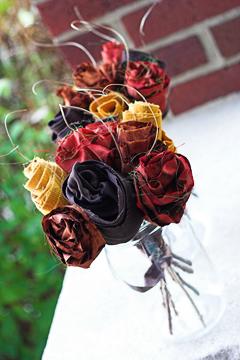
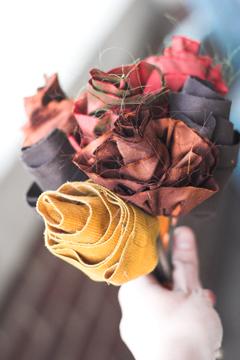
bridesmaid bouquet as delivered

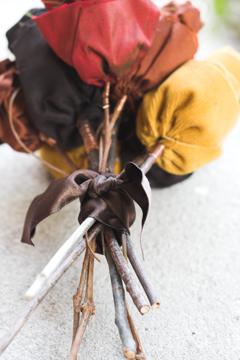
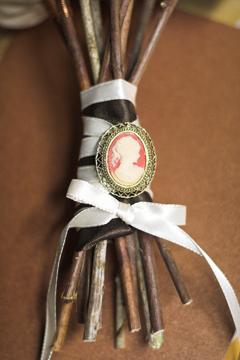
curli-cue stick thingies added and stems tied with brown ribbon
they are currently in mason jars to keep them upright so they don't get smashed.
they will be displayed in a similar fashion at the reception


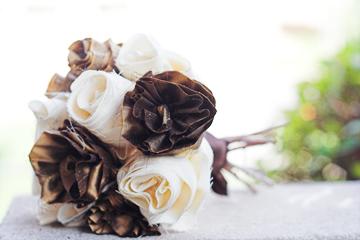
my bouquet, champagne and ivory


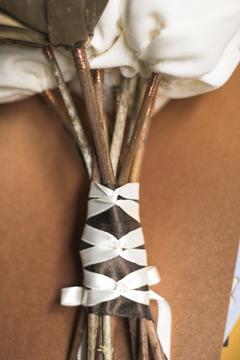
back of stems

front of stems, with grandma's cameo. ribbon tails are about 12in.

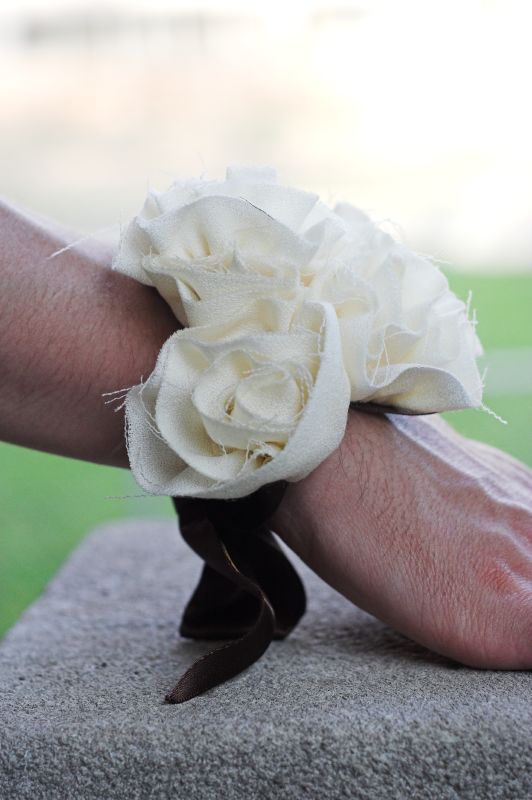
there are two corsages, one ivory and one champagne for the moms
the champagne one is almost identical. a bit large but very pretty.
they are tied on with wide chocolate-y brown ribbon
(don't mind mr. z's man hands doing the modeling)


the roses are the handiwork of therussian, on etsy. she was a delight to work with, super helpful and almost as excited about my flowers as i was. if anyone wanders here in the search for alternative bouquets, i would definitely recommend her.

there's another photography post in the works with even more confusing aperture stuff. i know it seems complex but i promise, once we get through it all and you see how it all comes together, its totally worth the confusion. hopefully i get that up in the next day or two.

Monday, June 23, 2008

Photography nitty gritty #3: Aperture Part I

Before we get into the photography, there's a few other bits of housekeeping to discuss.

First of all, I am delighted to be the recipient of a Sunday Shout-out by Meghan of AllMediocre.com. If you haven't checked out AllMediocre, you should. Its a collection of lots of entertaining blogs by regular folks who are pretty funny. Tons of good stuff there. Secondly, if you made it here from Meghan's link, thanks for stopping by. The links to earlier posts in the photography series are over to the side there. feel free to say hi and ask questions if you're curious. if you're just reading for the first time, this series of posts is aimed at folks who got tired of crummy shots from their digital point-and-shoots and bought nice digital dslr's only to find out they have no idea what most of the buttons on their new camera do.

and lastly, since some people seem to have had some luck begging for cameras online, Canon... if you're listening i'd LOVE to tell anyone reading this blog how wonderful my new 24-70L glass is. Feel free to send it to me at any time. mkay, thanks.

Aperture

Ok, so we said there were three components that could be manipulated to control exposure. I wavered back and forth for a while trying to decide on which one to start with, but in the end decided on aperture, mainly because i'd already taken the demonstration pictures. And aperture can be the most confusing (at least it was for me) so you can chew on this one for a while without everything else already clouding things up.

The shutter is the part of the camera lens that opens and closes when you take a picture. Aperture (also known as f-stop) refers to how large, or small, that opening is. It is indicated by a number, often preceded by the letter f. for example f2.8 or f16. To demonstrate what it is, do this... Put your camera on aperture-priority (dust off the manual if you need to) and set your aperture to the lowest number you can. My 50mm goes down to 1.8... 3.0 is fine, so is 5.6. whatever.

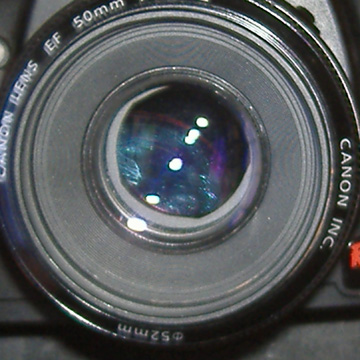
Now, hold it out in front of you so you are looking into the lens. Like you're going to do that thing where you hold the camera out with the lens facing you, to take a self-portrait . Then press the shutter button and watch what happens inside the lens. did you see the shutter close? notice the size of the opening in the center. now change your aperture to the highest number it will go to, most likely 22. do the same thing. see the difference??

i used to know what the aperture actually was. its not really important so i forgot it... it has something to do with the diameter of that opening and how it relates to the focal length of the lens, in other words "math stuff." not important. what is important to know is that the smaller the number, the bigger the opening is. for instance, when you looked in your lens, the opening at f3.5 (or f5.6) should have been significantly bigger than it was at f22. right? remember that... it will make things easier later. just in case you didn't do the experiment, this is what it would have looked like.

f 2.0

f 5.6

f 22

So how does that relate to exposure?? Light. If all other setting remain the same, a larger aperture (i.e. bigger opening but SMALLER number) will let in more light than a smaller aperture (i.e. smaller opening but bigger number). so if your camera is set to automatic and its a very bright sunny day, your camera will likely choose a smaller aperture. think about it... lots of light means risk of over exposure. to cut down the light getting in, we make a smaller opening. this is called "stopping down." think of it like your eye. in very dim lighting your eye dilates (to approximately f2.3) and in bright daylight in constricts, or stops down, if you will.

time out... are you thoroughly confused yet? feel free to ask for clarification because it only gets murkier from here.

So why change your aperture? Why not just let the camera pick whatever aperture it thinks is right for the lighting situation? Because changing the aperture has a huge impact on the final result of your picture. Aperture influences how much of the picture is in focus, and how much is out of focus. This is called depth-of-field. We'll save that for next time, so as not to overwhelm...

Continue to Part 4: More aperture

Sunday, June 22, 2008

Wedding things

The wedding plans continue to come together nicely, with only two bridezilla moments thus far (one i think was justified, the other probably less so). We've booked a room at the Carriage House Inn B&B for us to stay in and for the bridal party to get ready in. The original plan had been to stay at mr. z's parents and get ready there, then stay at the hotel with everyone else the night of... until we realized just how many people were already going to be at his parents' house. we decided that it was probably unreasonable to expect that many people in one house without some sort of disaster, so the B&B it was. i think it's a good move, as the inn is very pretty and still quite close to the ceremony location.

We also ordered some matchbooks to go with the sparklers. if you are looking for cheap favors, i'm telling you... $28 for 100. i love cheap shit. and even more importantly, the flower gal shipped my bouquets on friday. huzzah!! she sounds almost as excited about them as me, which is promising. i did just realize that we probably need bouts for the dads, but i think i may put something together sans flowers. will have to trek to JoAnn's (oh darn) to see what they have.

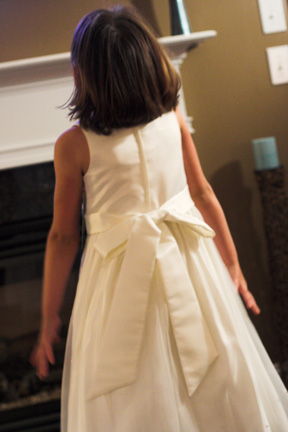
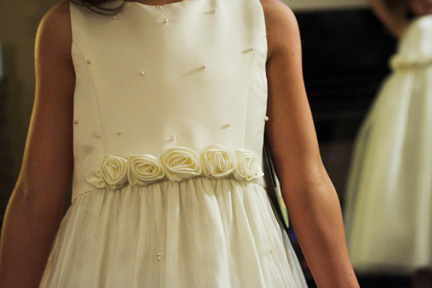
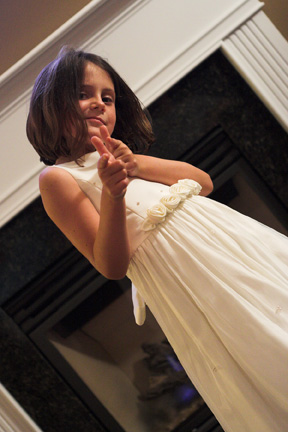
but more importantly, thing 1 and thing 2 are my flower girls. and let me just say, they are the cutest flower girls ever. sister-in-law, who is a most excellent shopper, found the perfect dresses. and the girls were quite happy to model them for us while we were visiting.

the front

the back

detail

who doesn't love a flower girl giving the finger guns??


coloring is a bit wonky as it was inside in the evening so there was no natural light to be had. they are a really pretty ivory fabric with pearly type beads scattered around it. super cute.

Thursday, June 19, 2008

Photography nitty gritty #2: Exposure

Let's talk about light. Why? Because I said so. Well, that and because its kind of crucial to the whole photography thing. In fact, its pretty much all photography is when you get down to the most basic concept of it. A picture is a recording of whatever light you let into the camera. the amount of light recorded is controlled by the combination of 3 different.

#1 aperture - this is how big the opening in your lens is when you take the picture. a larger opening means more light enters the camera and a smaller opening means less light gets in.

#2 shutter speed - this is how long that opening stays open. a long shutter speed lets in more light that a shorter shutter speed.

#3 ISO setting - this does not affect how much light gets into the camera, but rather how quickly the film (or sensor in the case of digital) records what light does get in. A higher ISO indicates more sensitivity to light and therefore a faster response.

That's a very basic definition of those, and i'll go into each of them on their own after this. understanding the relationship between each of those is really the key to being able to work your camera.

but back to light and your exposure meter, the goal is to get a properly exposed picture, i.e. just the right amount of light. its a little reminiscent of goldilocks and the three bears...

this picture is too dark


this one is too light
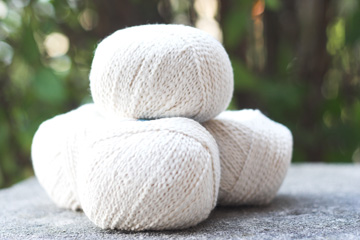

and in theory, this one should be just right as it was dead in the middle of the exposure meter. but as you can see, its still a bit dark.
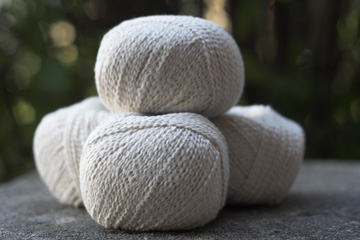

which leads me to my first "rule" of photography, which is know how to use your light meter, but don't rely on it. my camera generally tends to shoot a little on the dark side if left to its own devices. for that reason, and the fact that i like my photos kind of bright, i tend to adjust my settings so that my camera says the picture will be slightly overexposed, but in reality it comes out just about right.

like this... part way between image #2 and image #3.
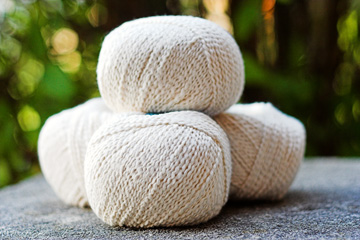

the previous three images were straight out of the camera.
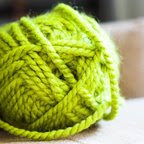
this one, however, has been edited because i was going to use it
in a knitting post. but i did not edit the exposure, only the coloring.

so, how do you read your exposure meter? well you have to know where it is, for one thing. generally you can see it at the bottom when you look through the viewfinder. on my camera, you can also see it on the small screen above the image previewing screen.

it looks like a row of dashes with a +1 and +2 to the right and a -1 and -2 to the left. there should be an indicator that moves back and forth depending on your settings. A positive number means the picture will be over exposed and a negative number means it will be under exposed. The first picture above was taken at -2, the second at +2, and the third was right in the middle, where my camera thought the exposure was just right. the last picture was taken a few dashes above the center, but not quite to +1.

ok, so now you know what it says, but what are you supposed to do with it??

if you are in fully automatic mode (green rectangle)... you shouldn't be. you can't control anything. if you are in Program mode (P) you have slightly more control. in this mode, and any of the program modes, you can choose how you want the picture to expose and the camera will pick the shutter speed and aperture to achieve that exposure. you shouldn't be using these either, but i'll let it slide for now. :)

shutter (and aperture) priority are one step closer to fully manual. we haven't really talked about aperture and shutter speed yet, so these will make more sense later. but in these modes, you pick the shutter speed (or aperture) you want and the camera will set the other to achieve the proper exposure. again, in these modes, you can adjust the exposure compensation so that you get the exposure you want, not just what the camera thinks is right.

i use aperture priority a lot because i don't care so much what my shutter speeds are usually, unless the light is dim and i'm concerned about it being too long. so my thought process might go something like this...
  • there is plenty of light so i know i don't have to worry about what my shutter speed is
  • my camera shoots dark so i will change the exposure compensation to two dashes to the right of center
  • i want a nice blurry background so i pick a wide aperture (this will make sense later... promise)
  • then the camera picks whatever shutter speed it needs so that the combo of aperture and shutter speed give the exposure i picked
you can't change the exposure compensation in all-out manual mode. in this case, you pick all the settings and your exposure meter tells you what exposure that combination will result in. then you can adjust your settings until it indicates that you will get the exposure you want.

if you aren't sure what the right exposure is, you can do what's called exposure bracketing. this was especially useful in film days when you weren't sure what you got until later. to bracket the exposure, you would take the same picture changing the exposure compensation each time. for example, you might take one at -1, -1/2, 0, +1/2, and +1 and then compare them afterwards and pick whichever one looks the best.

remember, its really hard to rescue a poorly exposed photo through post processing. and it rarely turns out as well as one that was exposed right in the first place. so its really important to get it right.

Continue to Part 3: Aperture
Thing 1 and Thing 2

remember Thing 1 and Thing 2 from The Cat in the Hat? they come in with the cat and wreak havoc in the house?? i think its an appropriate reference in this case ;)

its been a while since i've posted, and i actually have quite a bit to blog about. there's sewing, and knitting, some wedding goodies, and even another photography installment. but its late and i'm tired.

mr. z and i spent the weekend in asheville at my cousin's wedding. it was a fun little town, and the wedding was beautiful. better still, we got to spend a few more days in the sunny south, visiting my brother's family. we had a really good time, and it was great to see the girls. i swear, they get cuter every time i see them, which is not often enough. since i'm too lazy to go into the details, here are some pictures of the cutest girls ever (no really, they are.)

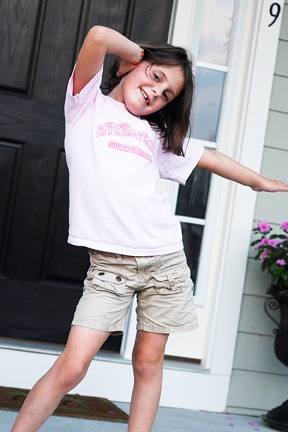
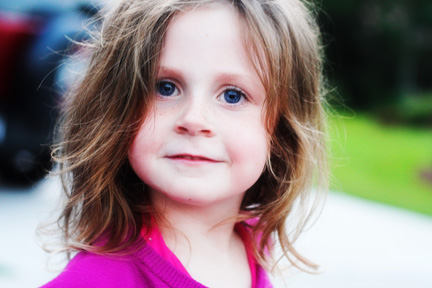
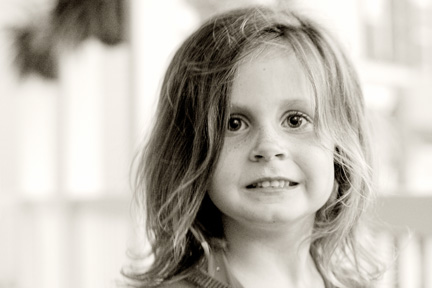
Thing 1 is six. I'm told she looks just like I did at that age. If that's the case, she pulls the bob off WAY better than i did back then. She likes to ham it up for the camera.


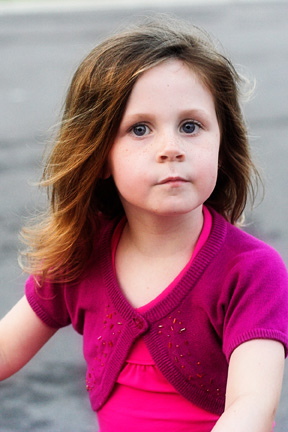
Thing 2 is four, but its hard to remember that because she's as big as thing 1. When you first take her picture, she makes a forced smile that is remarkably like her dad's. but if you keep the camera on her long enough, she goes back to a natural expression.


i'll be honest, i didn't take the one above. Thing 1 took it.
Thing 1 was snapping pictures and Thing 2 was striking poses left and right.
Too cute for words.


shooting these reminded me how much fun it is to take pictures of kids. it would be awesome to be able to do that. my sister-in-law knows this gal, and i have to say i am jealous. she's self-taught and takes great pictures of kids. and she was brave enough to start a business of it. i would love to do that. i think you have to have more in your portfolio than tons of pictures of the same kids over and over though, even if they are adorable.

anybody in columbus have some kids they are willing to let me follow around with a camera?

Thursday, June 12, 2008

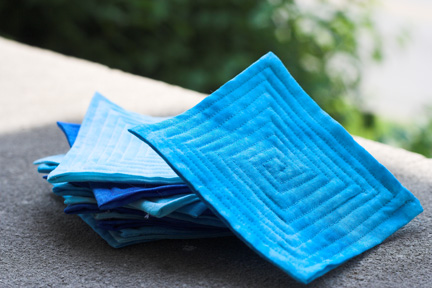
quilted coasters

the project in which my sewing machine got cranky and spewed pieces at me. then promptly stopped working. permanently.


i am a collector of pretty things. i love craft books with pretty pictures and patterns. i collect them, with the intent to make pretty things, but end up with far more patterns than any one person could every make (except maybe jenny, who is the most prolific crafter i have ever seen)

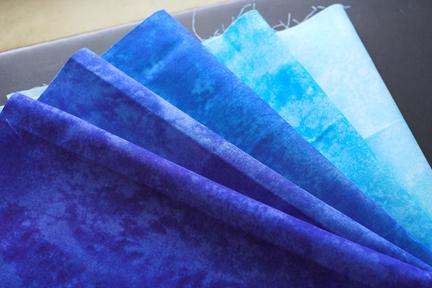
but its not just books, its yarns and fabrics too. right now my yarn stash far outweighs my fabric stash, but i have collected a considerable stack of fat quarters recently. this fabric came all bundled up, a stack of blue batik-y fabrics all folded and tied with a pretty blue ribbon. seriously, whoever the person is that thought "lets bundle up all these scraps and tie them together and see if we can convince people to buy them" was a GENIUS. or i'm a sucker. whatever.


these coasters are a super quick and easy pattern from Last Minute Patchwork + Quilted Gifts. there are five colors, and i got five coasters out of each. so if any one wants some blue coasters, let me know. i've got a bazillion. I've also got some more neutral fabrics in browns, yellows, and greens that will better match our decor. i thought these would make a good practice set, but as it turns out, they're so easy that even the practice ones are pretty nice.


on the topic of my sewing machine, my four year old low-end brother machine bit the dust. it all happened so fast, but i think the foot caught and bent (or something) and all i know is the needle hit something it wasn't supposed to and it snapped it half and several integral bits that attach both foot and needle to the machine went skittering off under various pieces of furniture. i could probably be repaired, but for more than i paid for the machine. so dr. z went and got me a new machine today... what an awesome guy, eh? went all by himself to get a sewing machine.

Tuesday, June 10, 2008

goodbye philodendron,

its been fun.

i don't have a green thumb, in fact i typically kill most plants immediately upon taking them out of the greenhouse from which i purchased them. having mr. z around (actually i guess that's dr. Z now since he graduated this weekend, but that's another post) seems to help though, mainly because he actually remembers to water them.

however, when my parents packed up everything in my childhood home and moved across the country last november, my mom gave me all her plants. my mom does have a green thumb, very green. i swear the woman can grow anything. but that's not the point. the point is, she gave me several large, luscious, beautiful plants of various types. one of which we think was a philodendron of some sort. surprisingly, all of these inherited plants have fared very well. they were big, and green, and they made my apartment look nicer. notice the past tense...

but before we get to the tragic fate of the philodendron, let me introduce you to kodiak. kodiak is an integral player in the story of the philodendron (i just like that word. it sounds smart).


this is one of my adorably infuriating fur-kids. i have to admit, he is my favorite. not that i don't love nizhoni to pieces, but kodi is a mama's boy. i wonder sometimes if its like that when you have real, human children. sure you tell them you love them all the same, but do you really have one you like a little bit more than the rest? i like to think this is true because it allows me to believe that i'm the favorite in my family. (just kidding, mom)

anyway, that's kodiak. handsome, isn't he? last weekend kodiak had an upset tummy. at roughly 3:30am on saturday. i woke up to find him hacking and heaving, as though he were preparing to throw up all over my bedroom floor. being the concerned dog-parent that i am, i opened up the bedroom door, figuring at least if he yacked, he should do it downstairs on the wood floor where it would be easier to clean up than it would be on the carpet. then i went back to sleep.

you know how they say dogs eat grass to calm their stomachs? apparently in a pinch, they'll eat whatever green thing they can find. including every single leaf off a rather large, prolific philodendron.


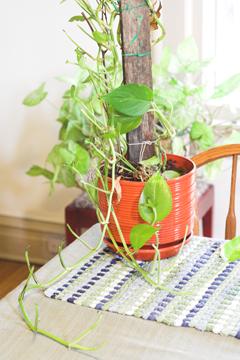
prior to this weekend, this plant was so lush, you couldn't even see that board that held it up. and notice the long bare tendril in the front here, where every last leaf is gone. *sigh*